 Form Copilot
An extension for Google Forms
Draft answers.
Make them
yours.
Give Form Copilot some context. It drafts answers beside the form, so you can review and edit them before filling anything.
Design workshop
Copilot
- Context
- Review
- Filled
Sample context
I’m Alex, a design student. I’d like the prototyping track and want to practice turning early ideas into testable screens.
This preview uses sample data and needs no API key.
Review your draft
Answers filled.
The extension leaves submission to you.
You decide what goes in.
From the first draft to the final form, you can change any answer along the way.
Add your context
Give the model the facts and preferences it needs to answer in your voice.
Review the answers
Edit any draft that needs work and check notes where the model made assumptions.
Fill the form
Apply the answers to the actual fields. You decide when to submit.
More than text boxes.
- Short answers and paragraphs
- Multiple choice and checkboxes
- Dropdowns, scales, and grids
- Dates and times
- Images with a vision-capable model
File uploads are flagged for you to handle.
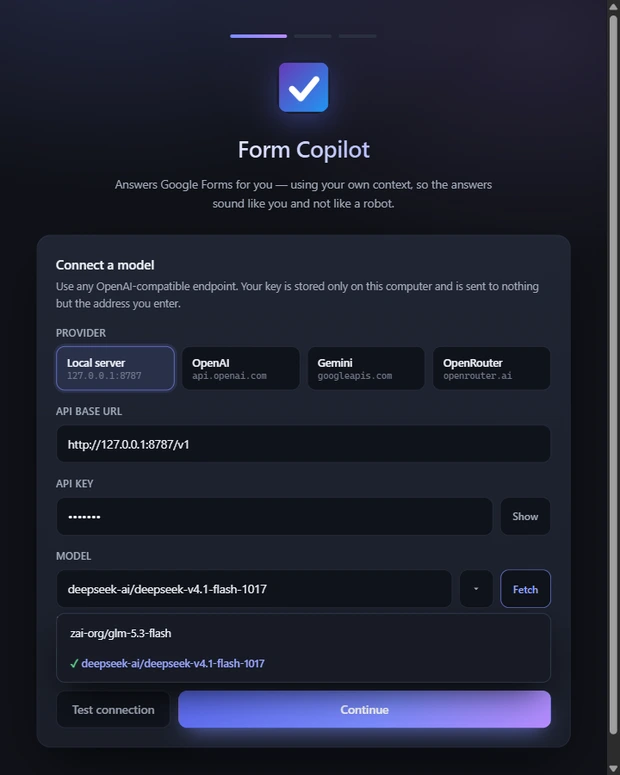
Bring your own key
Pick the model.
Know where it runs.
Connect Gemini, OpenAI, OpenRouter, or a compatible local endpoint. Your context and settings are saved in your browser. Drafting sends your context and form questions to the provider you select.
See provider setupTry it on your next form.
Load the source as an unpacked extension in your desktop browser.